

Robbie vs Slender: Forest Escape
Robbie vs Slender: Forest Escape — Page Hunting, Flashlight Mechanics & Woods Survival
Robbie vs Slender: Forest Escape drops players into a spine-chilling, 3D survival horror experience set deep within a fog-choked, dark woodland. Guiding Robbie through pitch-black trails, your primary goal is to locate and collect hidden pages scattered across abandoned cabins, rusted vehicles, and dense thickets while evading the relentless Slender Man. Consequently, managing flashlight power, maintaining line-of-sight awareness, and pacing your sprint endurance are critical to surviving the entity’s sudden teleports. Furthermore, if you crave intense atmospheric thrillers and pulse-pounding jump scares, explore our dark vault of horror games online on Bloody.games.
Static Distortions, Page Collection & Flashlight Battery Management
Navigating the forest night demands quick reflexes and sharp environmental awareness. Initially, early exploration feels quiet as you gather the first few pages posted on tree trunks and wooden posts. Because collecting each successive note increases Slender’s aggression and teleport frequency, static visual distortion on your screen serves as an urgent warning to turn away immediately. In addition, conserving flashlight batteries and listening for ambient audio cues allows Robbie to slip past hidden lurking spots before static blinds your view.
How to Play & Controls
Navigate dark forest paths, manage battery light, and escape Slender’s grasp using standard controls:
- Movement: Use WASD Keys or Arrow Keys to walk Robbie through the dark wilderness.
- Look Around: Move your Mouse to aim your view and control the beam of your flashlight.
- Sprint: Hold Left Shift to run away when visual static or ominous audio cues trigger.
- Toggle Flashlight: Moreover, press F Key to turn the flashlight on or off to preserve precious battery life.
- Collect Pages: Finally, press E Key or Left Mouse Click when aiming at notes to pick them up and track your escape quota.
Frequently Asked Questions (FAQ)
- What does visual static on the screen mean in Robbie vs Slender?
Static indicates that Slender Man is extremely close or looking directly at you; break line of sight immediately to avoid a game over. - How many total pages must Robbie collect to clear the forest stage?
Specifically, you must locate all 8 scattered notes across the forest map to break the curse and trigger your escape. - Is Robbie vs Slender: Forest Escape playable unblocked in web browsers?
Yes, Robbie vs Slender: Forest Escape is fully optimized using WebGL to run directly in modern web browsers across PCs, Chromebooks, and laptops without downloads.
More Terrifying 3D Survival Horror Games
If you survived the pitch-black woods in Robbie vs Slender: Forest Escape, challenge your courage with these iconic horror titles on Bloody.games:
- Poppy Playtime Chapter 2 – Explore abandoned toy factory depths using dual GrabPacks while escaping terrifying giant monstrous plush toys.
- FNAF 2 – Night shift security simulator featuring active camera feeds, flashlight battery management, and a wearable Freddy mask.
- Eyes: The Horror Game – Atmospheric haunted mansion break-in game where you paint mystical eye runes to track floating phantoms.
- That’s Not My Neighbor – Intense doorman inspection game where you check apartment tenant credentials to block uncanny doppelgangers.
Title: Robbie vs Slender: Forest Escape — Page Hunting & Woods Survival
Description: Play Robbie vs Slender: Forest Escape on Bloody.games. Hunt hidden notes in dark woods, manage flashlight battery power, avoid static interference, evade Slender, and survive online!
Slug: robbie-vs-slender-forest-escape
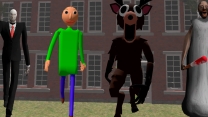
Thumbnail Alt: “Robbie holding a flashlight in dark foggy woods facing Slender Man in Robbie vs Slender: Forest Escape”
Gameplay Alt: “First-person view illuminating a white paper note pinned to a dark pine tree trunk”
Atmosphere Alt: “Creepy forest path covered in thick mist with static noise visual effects on the screen frame”